MOBOTIX – Product Announcement November 2016. Click here for more information.

MOBOTIX – Product Announcement November 2016. Click here for more information.
|
|
|
FOR MORE DETAIL, CLICK HERE

A Big Thank You…
As yet another year draws to a close we would like to once again thank you for choosing ProDiS as your preferred value-added distributor this year.
ProDiS has expanded greatly since our entrance to the market almost four years ago, and in this past year alone we have taken on numerous new projects with great success. But this does not mean that we have compromised on quality work for our clients. Our main focus still remains offering tailored, supported solutions for each and everyone of you.
Thank you again for choosing to work with ProDiS, we look forward to getting back to business in 2017.

For optimal monitoring of a residential estate, one needs to remove risks associated with human behavior, proactively prevent crime from taking place and secure the evidence.
Cameras placed around an estate should be connected to a remote control room, and triggered by motion sensors. Rather than live monitoring, which consumes massive amounts of bandwidth, the cameras only record when triggered by motion, and instantly notifies the control room, simultaneously feeding live footage to the remote facility.
ProDiS offers our clients an integrated, remote solution to optimize their security functionalities. Contact Prodis for info around your tailor made solution.

Industrial installations certainly represent a major security, safety and operational challenge, with their specialist processes, commercially sensitive information, valuable materials, plant and equipment.
To enhance protection, and provide a bigger picture view of these critical facilities, NUUO’s Intelligent Surveillance Solutions are being deployed across a wide array of industrial sectors, whether it be automotive, manufacturing, utilities etc. How can NUUO Surveillance system help you? Let’s explore together.
Prodis (Pty) Ltd has been proudly associated with the world leading Video Management Software solution called NUUO since mid 2015, and we are still going strong. Contact Prodis for info around your tailor made solution.

Mobotix T25 Door Station – Better Overview. Increased Security. More Possibilities.
Door stations with integrated cameras have been around for years. They are almost always based on analog TV technology that is over 60 years old and, because of the system involved, can only deliver very low image quality. Such systems only enable limited two-way communication. The new IP Video Door Station from MOBOTIX offers a modern, powerful solution that is easy to install and that has never been available to the market until now.
ExtIO Opens New Horizons For Cameras
With its new ExtIO module, MOBOTIX leads the way to completely new technology. The ExtIO can be connected to a camera either directly via USB or through a network. It extends the MOBOTIX camera to a high-performance audio unit with microphone and speaker, infrared motion detector, temperature sensor and additional switch in-/outputs. Door and gate intercom systems are easy to implement using the two illuminated buttons.
For Viewing & Device Management. The Smart Phone On The Wall.
MxDisplay+ is a wall-mountable Building Automation Server with touchscreen display, incorporating WiFi and RFID functionality. From this central glass console,you can add and configure all MOBOTIX devices. Multiple MxDisplay+’s can be wirelessly connected, each being powered via PoE.
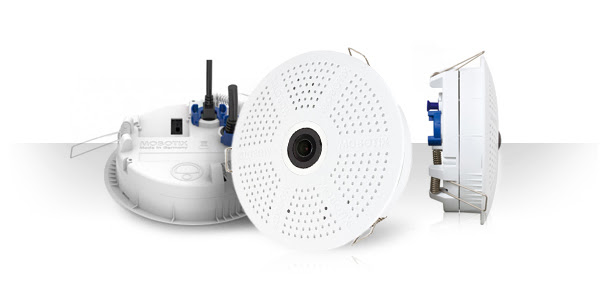
The c25 is Mobotix’s smallest 6MP hemispheric camera and comes with three clamps for easy installation in suspended ceilings like a halogen down light.
Alternatively equipped with a telephoto lens and mounted above a cash box the c25 will provide a very detailed video of the content and allows even reading the serial numbers of the bank notes.
Typical Application Areas For MOBOTIX Indoor Cameras:

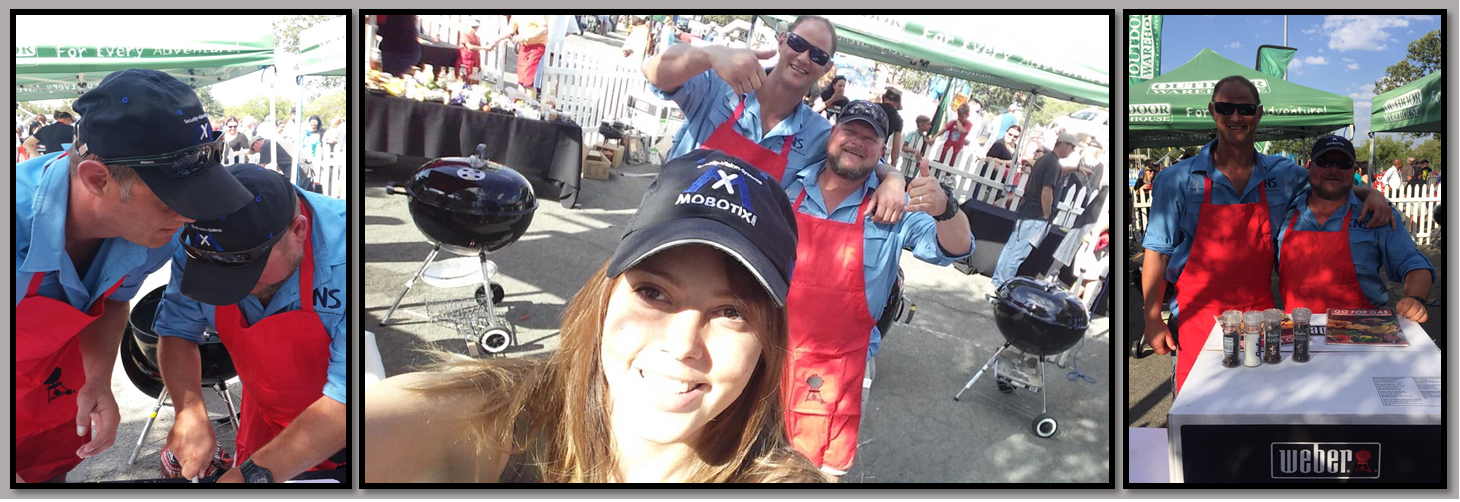
Big congratulations to one of our loyal Integration Partners, the CNS team, who won the Getaway ‘Braai – Off – Challenge’, and that in Mobotix attire! We are proud to be associated with your company!
William Pollard said: “Without change there is no innovation, creativity, or incentive for improvement. Those who initiate change will have a better opportunity to manage the change that is inevitable.”
With those wise words we are proud to announce the new and improved #Mobotix website – follow this link to have a look!
https://www.mobotix.com
MxSoftPanel 1.0
MxSoftPanel is a new, free of charge user software from MOBOTIX that offers the functionality and user interface of the MxDisplay+ as a stand-alone application, meaning it can transform any Windows- or Mac OS X-based computer into an additional remote station.
A Perfect Match
The new T25 Smart Access Set 1 with T25 IP Video Door Station and MxDisplay+, the video remote station, is available for immediate use after installation because it is completely pre-configured in the MOBOTIX factory. The set offers home owners, in particular, the ideal way to start implementing a smart home, while improving comfort and safety for the whole family.
MxManagementCenter (MxMC) V1.3
Tree Structure Of The Integrated Cameras, Groups And Clips For Administration And Navigation With MxMC 1.3, there is an expandable device bar available on the left of all views. This tree structure enables users to have an overview of the basic structure and simplify management of the video sources.